
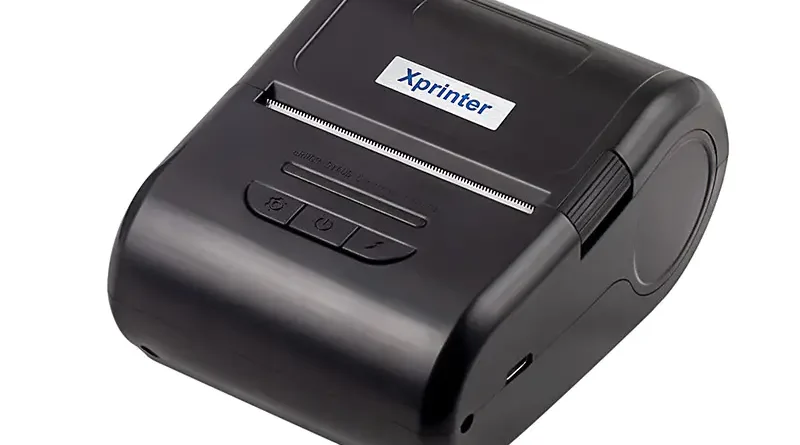
Key Features to Look for in a Mobile Printer
Portable printing has become useful for businesses that need to produce receipts, tickets, invoices, labels, or transaction records away from fixed workstations. The right printer can make mobile workflows more convenient while reducing unnecessary movement between customers and printing equipment.
When choosing a Mobile Printer, businesses should look beyond size and price. Features such as connectivity, battery life, printing technology, compatibility, durability, and ease of use can have a direct effect on day-to-day performance.
Compact and Lightweight Design
Portability is one of the most important characteristics of a mobile printer. A compact device is easier for employees to carry between work areas, customer locations, and temporary service points.
Weight also matters when the printer is carried for several hours. A lightweight design can make regular use more comfortable without sacrificing the features required for the intended application.
Reliable Wireless Connectivity
Wireless connectivity allows a printer to receive print jobs from compatible smartphones, tablets, POS terminals, and other devices. Bluetooth is commonly used for short-range connections, while Wi-Fi can be suitable for network-based environments.
Before choosing a model, check whether its connectivity options are compatible with the devices and software already used by the business.
Long Battery Life
Battery performance is essential when printing takes place away from power outlets. A printer with sufficient battery capacity can support a full work period with fewer interruptions for charging.
Consider expected print volume, charging time, and battery capacity rather than relying only on general claims about operating time.
Suitable Printing Technology
Different mobile printers use different printing technologies depending on their intended applications. Direct thermal printing is common for receipts because it does not require ink or toner.
Businesses should select a printing method that matches the required media, document type, print quality, and operating environment.
Adequate Printing Speed
Printing speed can influence workflow efficiency, especially in busy retail, hospitality, and service environments. A printer that produces documents quickly can help reduce waiting time between transactions.
However, speed should be considered alongside reliability and print quality. A fast printer is less useful if it frequently experiences connection or paper-feeding problems.
Clear and Consistent Print Quality
Printed information needs to remain easy to read. Text, numbers, barcodes, logos, and other details should be produced clearly and consistently.
When comparing models, consider the printer’s resolution, supported media, and ability to maintain consistent output during repeated use.
Compatibility With Mobile Devices
A portable printer should work smoothly with the hardware and software used by the business. Compatibility may include operating systems, POS applications, mobile devices, and communication protocols.
Checking compatibility before purchase can prevent integration problems and reduce the need for additional equipment or software changes.
Appropriate Paper or Media Support
The required paper or media depends on the printer’s intended use. Receipt printers typically support specific thermal paper widths, while label printers may require different media types.
Check the manufacturer’s specifications for supported media dimensions, roll capacity, and paper requirements before selecting a model.
Durable Construction
Portable printers are often handled more frequently than stationary office printers. Employees may carry them between locations, place them on different surfaces, or use them in busy working environments.
For demanding applications, durability and resistance to dust, moisture, or accidental drops may be important considerations. The required level of protection depends on where and how the printer will be used.
Easy Paper Replacement and Maintenance
A simple paper-loading mechanism can reduce interruptions during busy periods. Employees should be able to replace consumables without complicated procedures.
Routine maintenance should also be straightforward. Easy access to the paper path and recommended cleaning areas can help businesses keep the device operating consistently.
Security and Data Handling
If the printer receives transaction or customer information wirelessly, businesses should consider how data is transmitted between devices. Network configuration and software security should be appropriate for the operating environment.
This is particularly important when portable printers are integrated with payment systems or business networks.
Final Considerations
The best mobile printer depends on the specific workflow in which it will be used. Portability, wireless connectivity, battery life, printing technology, compatibility, media support, and durability are among the most important features to evaluate.
Rather than choosing a device based on a single specification, businesses should consider how its features work together. A well-matched printer can provide reliable portable printing while fitting naturally into existing mobile operations.