
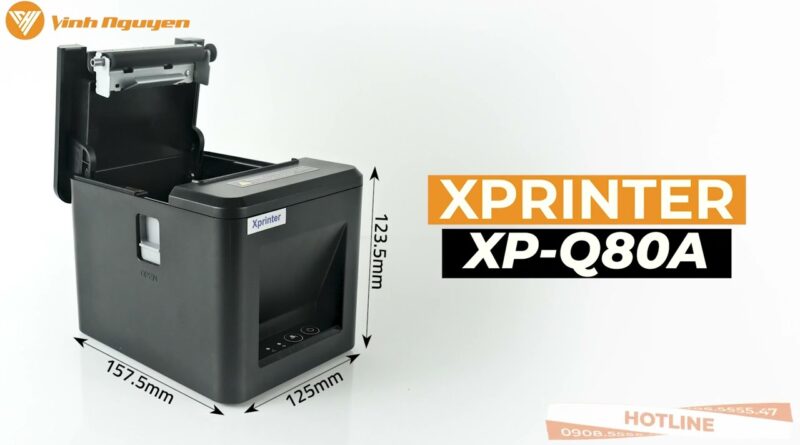
Thermal Receipt Printer Buying Guide for Retail and Hospitality Businesses
Choosing the right receipt printer is an important decision for retail and hospitality businesses. From processing customer purchases to printing restaurant bills, receipts are a critical part of daily operations. A reliable printer helps improve efficiency, reduce waiting times, and create a better customer experience. With many options available, understanding the key features and considerations can help you make an informed purchase.
Modern businesses increasingly rely on a Thermal Receipt Printer because it offers fast printing speeds, low maintenance requirements, and dependable performance. Whether you manage a small boutique or a busy hotel, selecting the right printer can support smoother operations and long-term productivity.
Why Retail and Hospitality Businesses Choose Thermal Printing
Thermal printers use heat-sensitive paper instead of ink or toner, making them a practical solution for businesses that print receipts throughout the day.
Some of the main benefits include:
- Fast printing speeds
- Quiet operation
- No ink or toner replacement
- Lower maintenance costs
- Consistent print quality
- Compact design
These advantages help businesses improve service while reducing operating expenses.
Understand Your Business Needs
Before purchasing a receipt printer, evaluate how your business operates.
Consider questions such as:
- How many receipts do you print each day?
- Do you need 58 mm or 80 mm paper?
- Will the printer connect to a POS system?
- Do employees need wireless printing?
- Will your printing volume increase in the future?
Answering these questions helps narrow your options.
Essential Features to Look For
A quality receipt printer should include features that improve efficiency and reliability.
Fast Print Speed
Retail stores and restaurants often experience busy periods where every second matters. A high-speed printer helps shorten checkout times and improves customer flow.
Excellent Print Quality
Clear receipts make transaction details, barcodes, QR codes, and promotional information easy to read. Good print quality also reduces reprints caused by unreadable receipts.
Multiple Connectivity Options
Modern receipt printers support several connection methods, including:
- USB
- Ethernet
- Wi-Fi
- Bluetooth
- Serial interfaces
Choosing the right connectivity option ensures seamless integration with your existing equipment.
Software Compatibility
Your receipt printer should work smoothly with your business software.
Verify compatibility with:
- Point-of-sale (POS) systems
- Restaurant management software
- Retail management platforms
- Inventory systems
- Accounting software
Good compatibility minimizes installation time and improves workflow efficiency.
Choosing the Right Paper Size
Thermal receipt printers commonly support two paper widths:
58 mm Paper
Best suited for:
- Small retail shops
- Cafés
- Food trucks
- Convenience stores
80 mm Paper
Ideal for:
- Supermarkets
- Large retail stores
- Restaurants
- Hotels
- High-volume checkout counters
Selecting the appropriate paper size ensures receipts meet your operational needs.
Durability Matters
Retail and hospitality businesses often operate for long hours with continuous customer traffic. A durable printer can withstand frequent use while maintaining consistent performance.
Look for:
- Strong construction
- Reliable paper feeding
- Quality internal components
- Stable long-term operation
Durable equipment helps reduce repair costs and downtime.
Low Maintenance Requirements
One of the biggest advantages of thermal printing is simplified maintenance.
Routine care typically involves:
- Cleaning the print head
- Removing dust from the paper compartment
- Inspecting paper rollers
- Using high-quality thermal paper
With no ink cartridges or toner to replace, maintenance is quick and cost-effective.
Benefits for Retail Businesses
Retail businesses depend on efficient receipt printing to maintain customer satisfaction.
Thermal receipt printers help retailers:
- Speed up checkout
- Reduce customer waiting times
- Print clear receipts
- Improve cashier productivity
- Support loyalty programs and promotions
Reliable printing contributes to smoother daily operations.
Benefits for Hospitality Businesses
Hotels, restaurants, cafés, and other hospitality businesses also benefit from dependable receipt printing.
Common uses include:
- Customer payment receipts
- Restaurant bills
- Takeaway orders
- Hotel invoices
- Service payment confirmations
Fast printing allows staff to focus on delivering excellent customer service.
Preparing for Future Growth
Business needs often change over time. Choosing a printer with flexible connectivity and broad software compatibility helps ensure it remains useful as your operations expand.
A scalable solution can support:
- Additional POS terminals
- Higher transaction volumes
- New business locations
- Updated software platforms
Planning ahead reduces the need for frequent equipment upgrades.
Common Buying Mistakes to Avoid
Avoid these common mistakes when selecting a receipt printer:
- Choosing based only on price
- Ignoring software compatibility
- Purchasing the wrong paper size
- Overlooking future business growth
- Using low-quality thermal paper
Taking time to evaluate your requirements can lead to a better long-term investment.
Conclusion
Selecting the right thermal receipt printer is an important step toward improving efficiency in retail and hospitality businesses. By considering factors such as print speed, connectivity, durability, compatibility, and maintenance requirements, businesses can choose a printer that supports reliable daily operations.
A well-chosen thermal receipt printer helps reduce checkout times, improve customer satisfaction, and lower operating costs, making it a valuable investment for businesses looking to enhance productivity and deliver a seamless customer experience.